Android Emulator
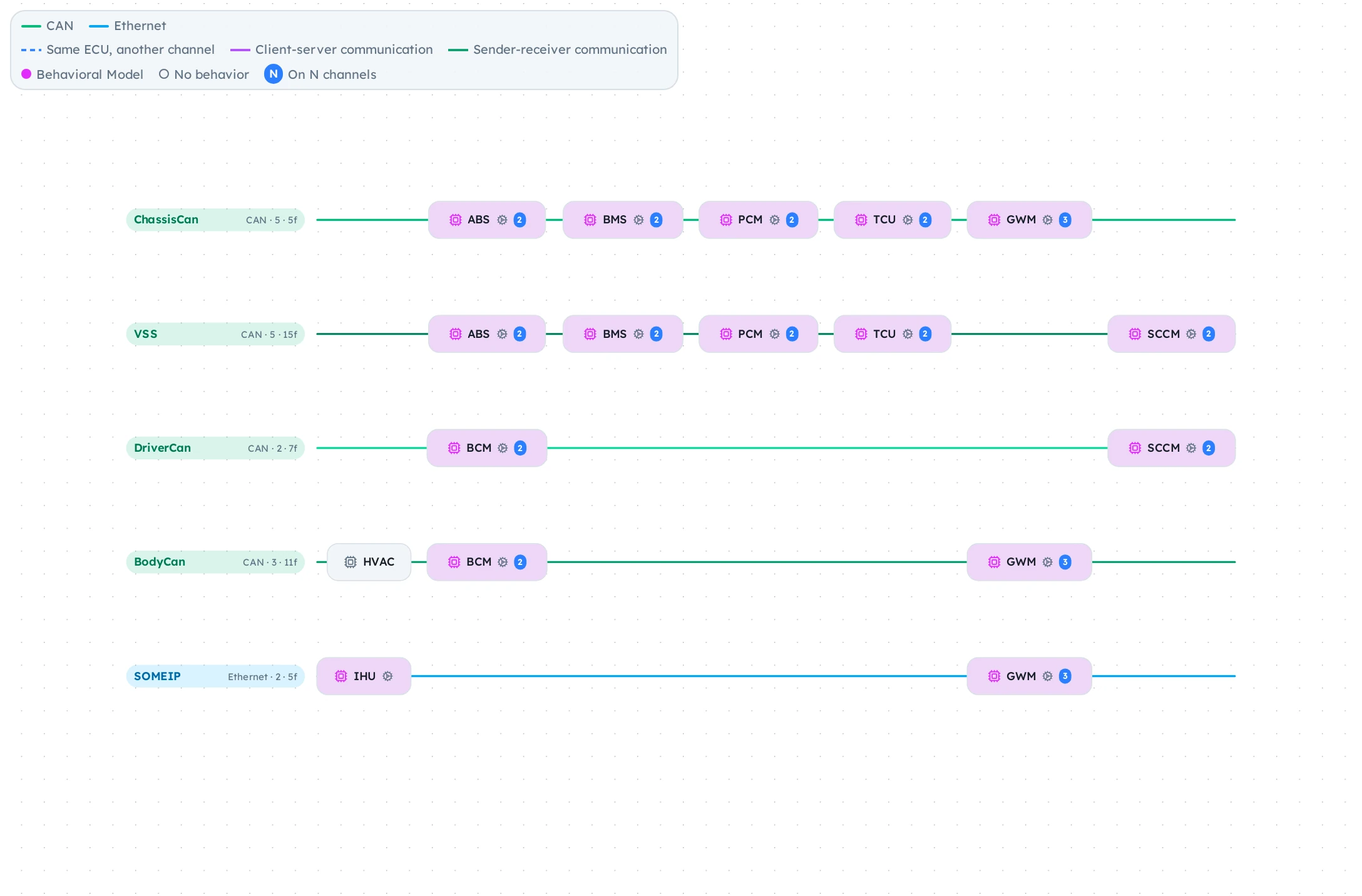
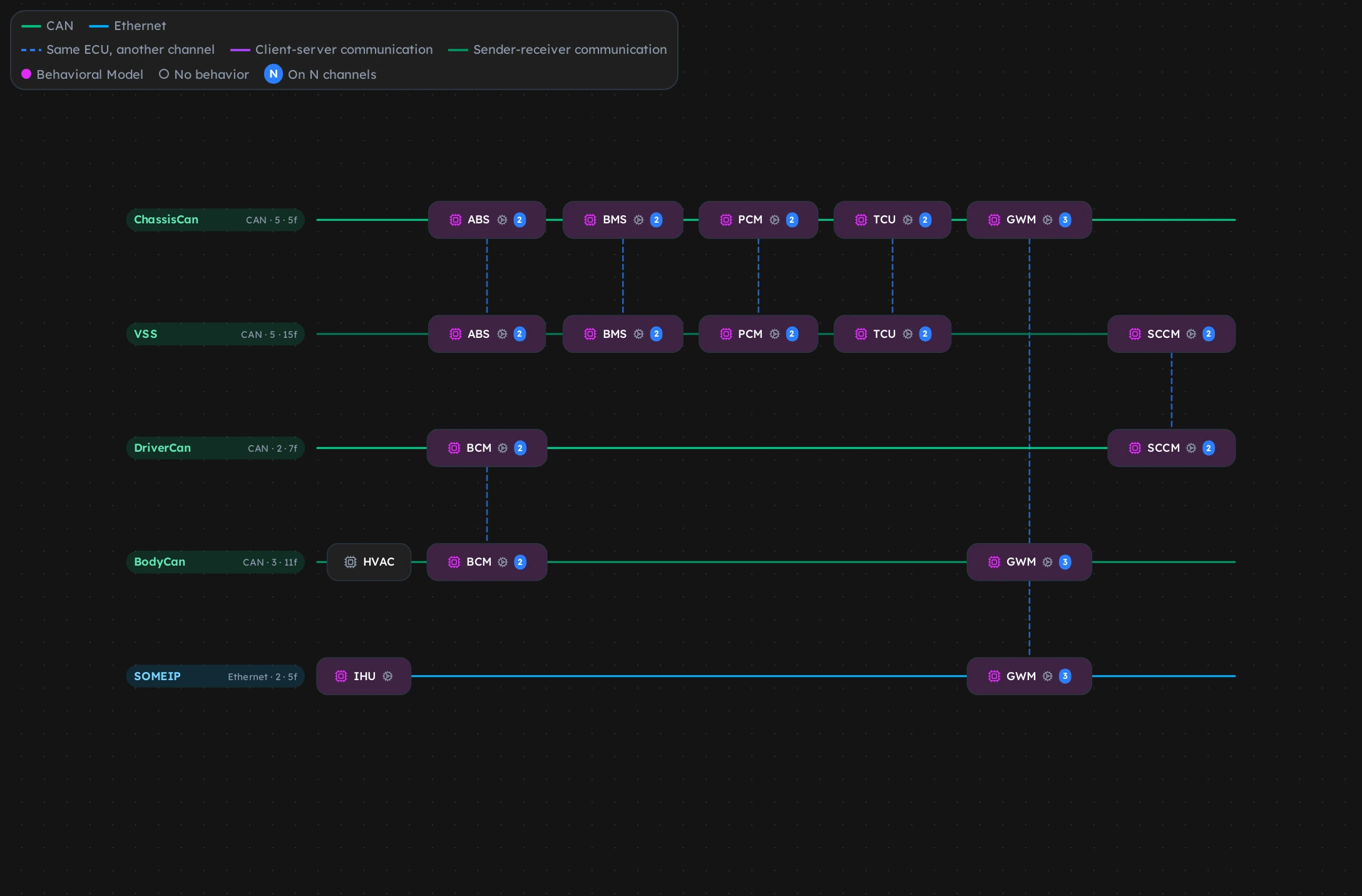
- An Android app (APK) that you download
Run it
git clone https://github.com/remotivelabs/remotivelabs-remotive-car.git
cd remotivelabs-remotive-car

remotive topology build \
  -f instances/android/main.instance.yaml \
  -f instances/android/android_emulator_in_docker.instance.yaml \
  -f settings/can_over_udp.settings.instance.yaml \
  -f settings/vlan_using_bridge.settings.instance.yaml \
  build

docker compose -f build/remotive_car_android/docker-compose.yml --profile playback up --build
Open http://localhost:8085/vnc.html and connect.
Using Android Emulator is useful if you are developing Android applications. Android Emulator works on all platforms. If you are integrating using VHAL properties you need to create a behavioral model that converts the your desired signals to VHAL properties.
- Part of the RemotiveCar example
- Instance files: android_emulator_in_docker.instance.yaml and main.instance.yaml.
- Convert signals to VHAL properties: IHU
- Review the shared android documentation: README.md - Optional instructions how to run emulator on host instead of using Docker: EMULATOR_ON_HOST.md
With emulator within Docker
To run the Google Maps application in the Android emulator it first needs to be installed. This is done during topology startup but it requires the APK to be provided during build. Download the APK, e.g. from https://www.apkmirror.com/apk/google-inc/google-maps-android-automotive/, and place it in the instances/android/android_emulator folder.
Build
Run one of the commands below, depending on your setup.
# With RemotiveBus
remotive topology build \
-f instances/android/main.instance.yaml \
-f instances/android/android_emulator_in_docker.instance.yaml \
build
# Without RemotiveBus
remotive topology build \
-f instances/android/main.instance.yaml \
-f instances/android/android_emulator_in_docker.instance.yaml \
-f settings/can_over_udp.settings.instance.yaml \
-f settings/vlan_using_bridge.settings.instance.yaml \
build
RemotiveTopology uses Docker compose to define the containers and networks of the topology. Once generated, by following the steps in this section, it can be found in build/remotive_car_android/docker-compose.yml
Run
docker compose -f build/remotive_car_android/docker-compose.yml \
--profile playback up --build
You should then be able to reach the emulator by going to http://localhost:8085/vnc.html and connecting. The first time it starts you will have to configure some settings and permission for the maps application.
Use RemotiveStudio to view signals and observe the temperature signals being send back from the Android Emulator.
With emulator on host
If you are not running on Linux or want more control of what to run within the emulator you can also use this example together with a local emulator, see Emulator on host on how to start the emulator.
Build
From the root of this repository run one of the commands below, depending on your setup.
# With RemotiveBus
remotive topology build \
-f instances/android/main.instance.yaml \
-f instances/android/android_emulator_on_host.instance.yaml \
build

# Without RemotiveBus
remotive topology build \
-f instances/android/main.instance.yaml \
-f instances/android/android_emulator_on_host.instance.yaml \
-f settings/can_over_udp.settings.instance.yaml \
-f settings/vlan_using_bridge.settings.instance.yaml build
RemotiveTopology uses Docker compose to define the containers and networks of the topology. Once generated, by following the steps in this section, it can be found in build/remotive_car_android/docker-compose.yml
Run
From the root of this repository run
ANDROID_EMULATOR_AUTH=$(cat ~/.emulator_console_auth_token) \
docker compose -f build/remotive_car_android/docker-compose.yml \
--profile playback up --build
Use RemotiveStudio to view signals and observe the temperature signals being send back from the Android Emulator.