Android Cuttlefish
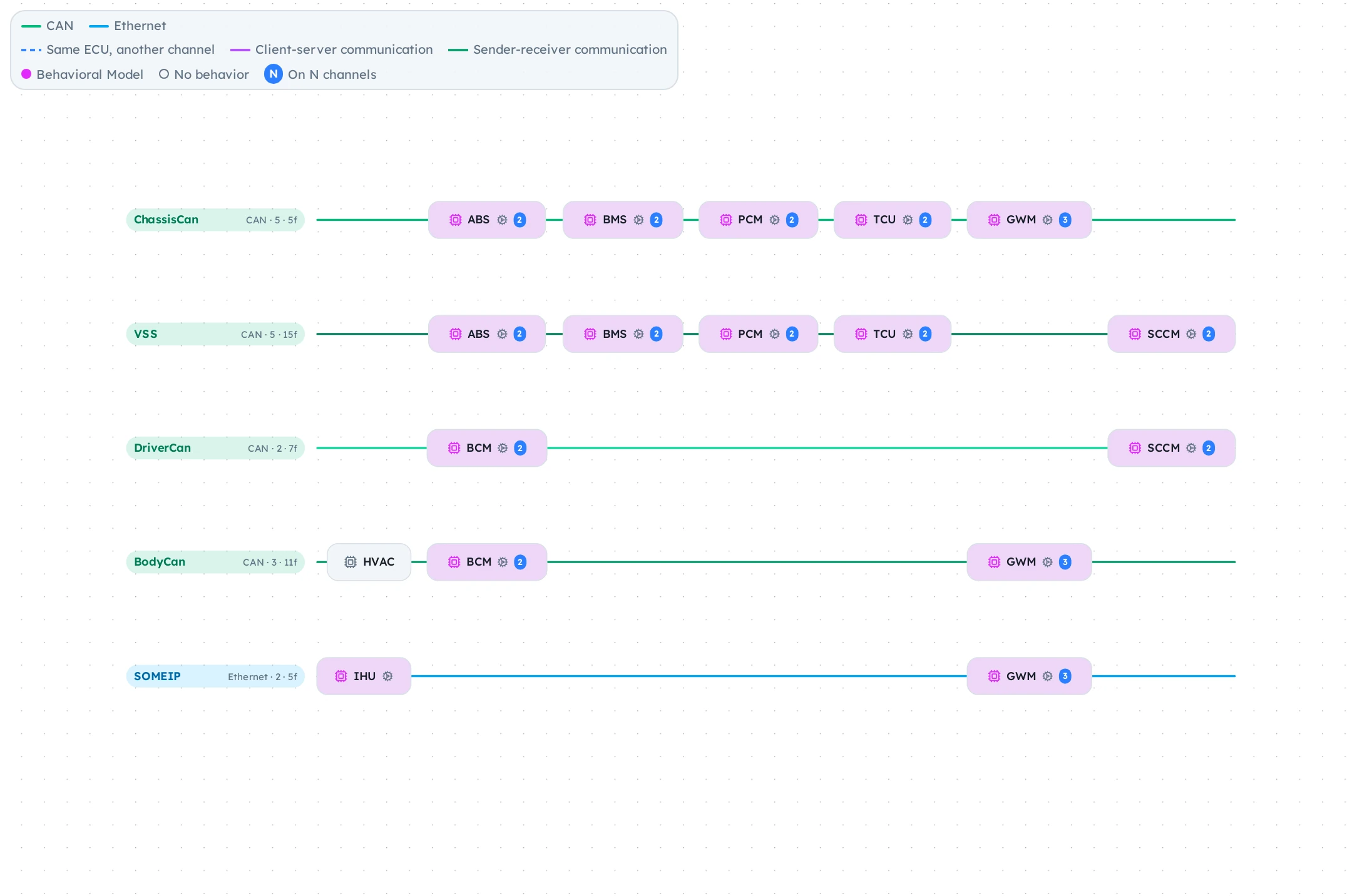
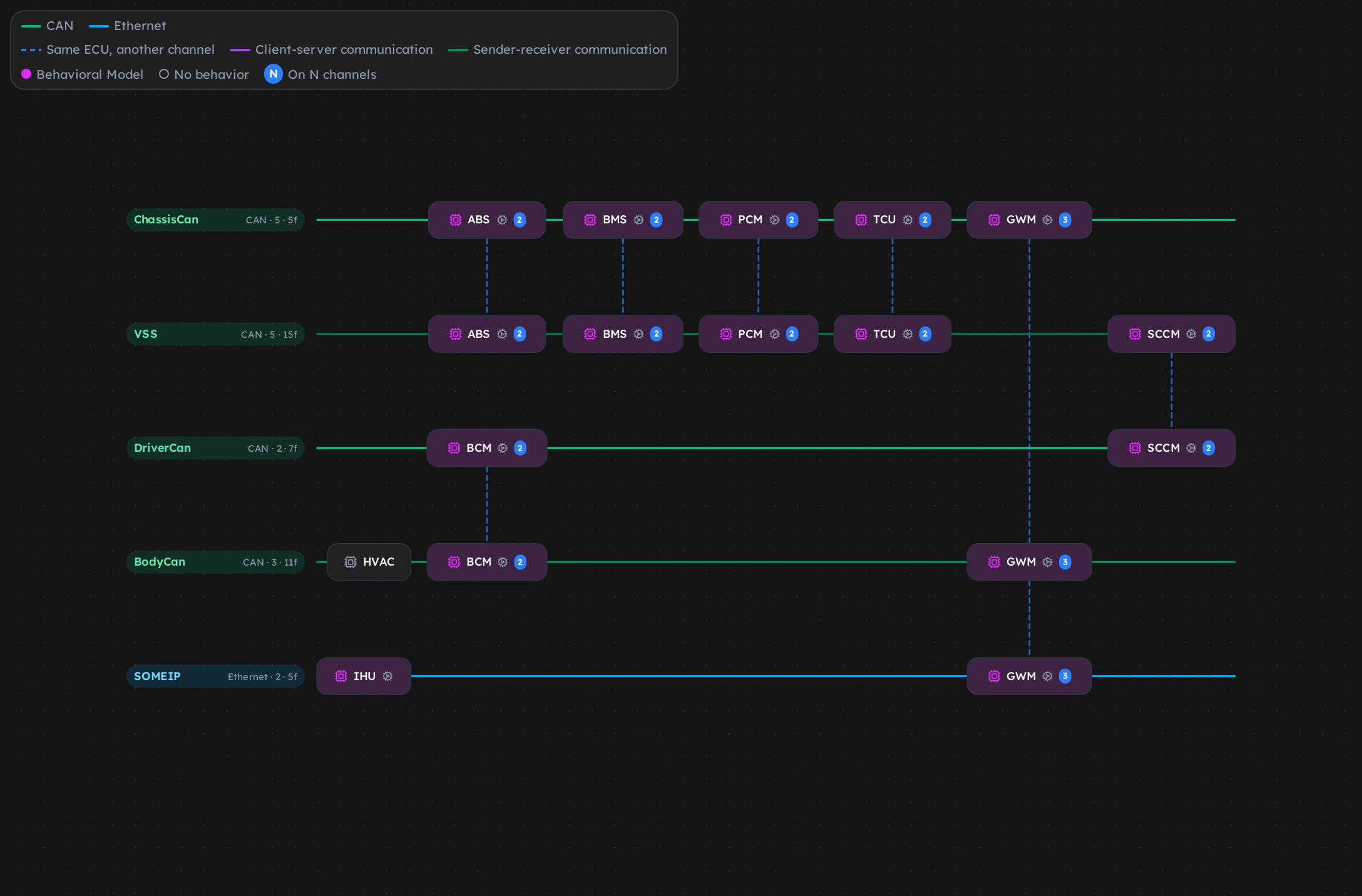
- Linux with KVM
Run it
git clone https://github.com/remotivelabs/remotivelabs-remotive-car.git
cd remotivelabs-remotive-car

remotive topology build \
  -f instances/android/main.instance.yaml \
  -f instances/android/cuttlefish.instance.yaml \
  -f settings/can_over_udp.settings.instance.yaml \
  -f settings/vlan_using_bridge.settings.instance.yaml \
  build

docker compose -f build/remotive_car_android/docker-compose.yml \
  -f instances/android/cuttlefish.compose.yaml \
  --profile playback up --build
Open https://localhost:8443.
Using Cuttlefish is useful when you are developing applications for your custom Android build or when customizing the Android build. Cuttlefish only works on Linux.
- Part of the RemotiveCar example
- Review the shared android documentation: README.md
The example ships with two ways of connecting Cuttlefish to the topology. The VHAL gRPC bridge works with a stock Android build and is a good choice for an initial integration; the built-in SOME/IP variant shows what a customized Android build with the integration done inside Android looks like.
| Variant | Cuttlefish image | How signals reach Android | Instance file | Compose overlay |
|---|---|---|---|---|
| Built-in SOME/IP | remotivelabs/remotivelabs-cuttlefish:16.0.0_r4-1 (Android 16) | The Cuttlefish container is the IHU ECU and speaks SOME/IP directly on the topology network. | cuttlefish.instance.yaml | cuttlefish.compose.yaml |
| VHAL gRPC bridge | remotivelabs/remotivelabs-cuttlefish:15.0.0-4 (Android 15) | The IHU behavioral model receives SOME/IP events and forwards them to Cuttlefish over the VHAL gRPC server and the GNSS gRPC proxy. | cuttlefish_vhal_grpc.instance.yaml | cuttlefish_vhal_grpc.compose.yaml |
Both images contain the reference Cuttlefish build for Android Automotive. They do not contain any map application and since they do not contain Google Play APIs it will not work to install Google Maps manually. Instead pick another map application of your choice, for example https://organicmaps.app/. Place any APK you wish to install in instances/android/cuttlefish/apks/ and it will be installed when the container starts.
If you wish to completely reset the state of the cuttlefish container, remove everything in the instances/android/cuttlefish/state folder except the .gitignore. The state folder is shared between the two variants, so reset it when switching between them.
Cuttlefish with built-in SOME/IP
The Android 16 image has vsomeip built in and configured for the RemotiveCar platform. The Cuttlefish container therefore replaces the IHU ECU (ecus.IHU.container in cuttlefish.instance.yaml) and is named ihu in the generated docker compose file. No behavioral model is involved.
Build
From the root of this repository run one of the commands below, depending on your setup.
# With RemotiveBus
remotive topology build \
-f instances/android/main.instance.yaml \
-f instances/android/cuttlefish.instance.yaml \
build
# Without RemotiveBus
remotive topology build \
-f instances/android/main.instance.yaml \
-f instances/android/cuttlefish.instance.yaml \
-f settings/can_over_udp.settings.instance.yaml \
-f settings/vlan_using_bridge.settings.instance.yaml \
build
RemotiveTopology uses Docker compose to define the containers and networks of the topology. Once generated, by following the steps in this section, it can be found in build/remotive_car_android/docker-compose.yml
Run
From the root of this repository run
docker compose -f build/remotive_car_android/docker-compose.yml \
-f instances/android/cuttlefish.compose.yaml \
--profile playback up --build
You should then be able to reach the Cuttlefish instance by going to https://localhost:8443. The first time it starts you will have to configure some settings and permission for the maps application. If using the Organic Map you will also have to download maps for the areas you are interested in.
Use RemotiveStudio to view signals and observe the temperature signals being sent back from the Cuttlefish instance.
Tests
This variant provides two tests located in tests/pytest/android. These will verify that location updates can flow from the TCU into Android and that HVAC changes in Android will flow back to the TCU. These can be run by running with the tester profile (and excluding the playback profile).
docker compose -f build/remotive_car_android/docker-compose.yml \
-f instances/android/cuttlefish.compose.yaml \
--profile tester up --build --abort-on-container-exit
The tests can also be run manually if you navigate to tests/pytest and run uv run pytest -m android.
The tests are written for the Android 16 image (UI coordinates and default temperatures differ between images) and are not included in the VHAL gRPC variant below.
Cuttlefish with VHAL gRPC bridge
The Android 15 image is a stock Android Automotive with VHAL gRPC support. The IHU behavioral model (main.py, broker_to_cuttlefish.py) subscribes to the SOME/IP events on the topology and pushes them into Cuttlefish:
- Speed and gear are written as VHAL properties over the Cuttlefish VHAL gRPC server (port
9300). - Location is sent to the Cuttlefish GNSS gRPC proxy over HTTPS (port
1443). - HVAC temperature changes made in the Android UI are streamed back as VHAL property updates and re-published as SOME/IP events.
cuttlefish_vhal_grpc.instance.yaml adds a separate cuttlefish container next to the IHU model and includes IHU/vhal_grpc.instance.yaml, which configures the model with VIRTUAL_DEVICE_TYPE=cuttlefish and the URLs of the two Cuttlefish services.
This approach needs no changes to the Android build, since VHAL and GNSS are reached through the standard Cuttlefish gRPC interfaces. It is a natural first step when integrating Android with a topology; the signal-to-property mapping lives in the behavioral model and can later move into a custom Android build.
Build
From the root of this repository run one of the commands below, depending on your setup.
# With RemotiveBus
remotive topology build \
-f instances/android/main.instance.yaml \
-f instances/android/cuttlefish_vhal_grpc.instance.yaml \
build
# Without RemotiveBus
remotive topology build \
-f instances/android/main.instance.yaml \
-f instances/android/cuttlefish_vhal_grpc.instance.yaml \
-f settings/can_over_udp.settings.instance.yaml \
-f settings/vlan_using_bridge.settings.instance.yaml \
build
Run
From the root of this repository run
docker compose -f build/remotive_car_android/docker-compose.yml \
-f instances/android/cuttlefish_vhal_grpc.compose.yaml \
--profile playback up --build
The compose overlay runs the cuttlefish container in privileged mode and delays the IHU model until the VHAL gRPC server is listening. Once up, reach the Cuttlefish instance at https://localhost:8443 as in the built-in SOME/IP variant.
If you also enable the 3dcar profile, point the 3D car at the cuttlefish container instead of the default ihu service:
CUTTLEFISH_PROXY_TARGET=https://cuttlefish:8443 \
docker compose -f build/remotive_car_android/docker-compose.yml \
-f instances/android/cuttlefish_vhal_grpc.compose.yaml \
--profile playback --profile 3dcar up --build
With VLAN networking
By default, the remotive command generates normal docker bridge networks to represent the ethernet channels. If the platform specifies special VLAN ids for the channels (see SOMEIP channel) you may want the network traffic to also be tagged, especially if it should be connected to a physical network. You can do this by using the remotivebus driver for the ethernet channel. In this example it is done by including the file vlan_using_bridge.settings.instance.yaml when generating the topology.
remotive topology build \
-f instances/android/main.instance.yaml \
-f instances/android/cuttlefish.instance.yaml \
-f settings/vlan_using_bridge.settings.instance.yaml \
build
Troubleshoot
- Maps application is missing in Android Cuttlefish: Make sure to download the APK and put in the folder as described at the top of this page.
- Switching between the two Cuttlefish variants: reset the
cuttlefish/statefolder, since the two images cannot share a persisted Android state.