
What it does
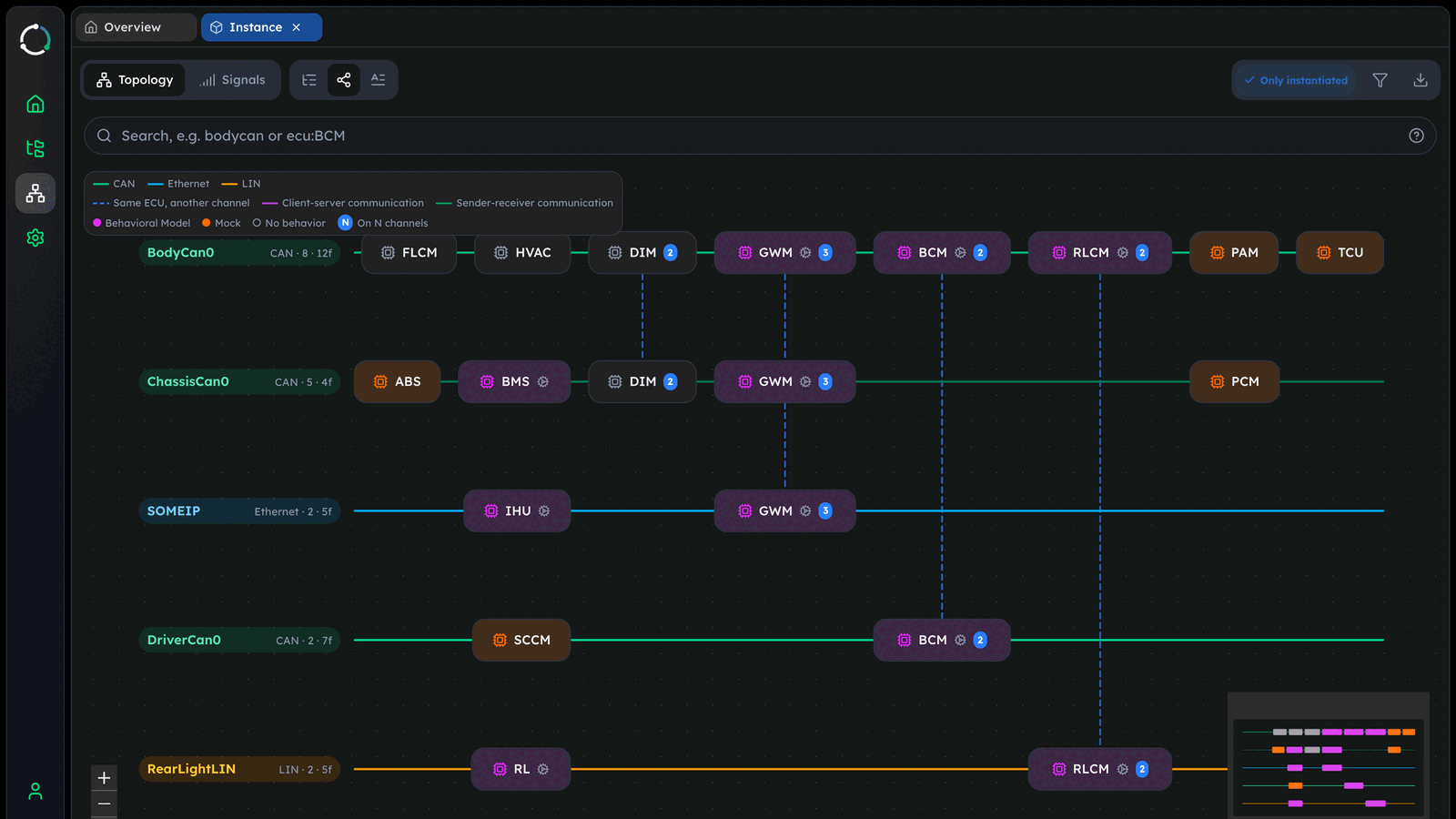
RemotiveStudio has a new graph view that draws a whole topology as one diagram: one bar per channel, with its ECUs on it. In it, you can:
- Click an ECU to see which ECUs it exchanges signals with, and to list its frames and signals.
- Search for an ECU or a channel, for example
ecu:GWMorbodycan. - On a large platform, use the filter to draw only some channels and ECUs.
- Export the graph as a
PNGorSVGimage to put it in a document or a slide.
When you look at a running topology, the graph also shows the activity on each channel.
What it looks like
Try it
Open a topology file (an instance or platform file) or a signal database in RemotiveStudio, or connect to a running topology. Select the graph icon next to the tree view. If you don't have a topology, start with one of the RemotiveTopology examples.